
Productivity · 4 min read
Two Cal.com booking links, one calendar conflict. Will both links catch it?
Configure conflict calendars separately from booking destinations and test both booking links.
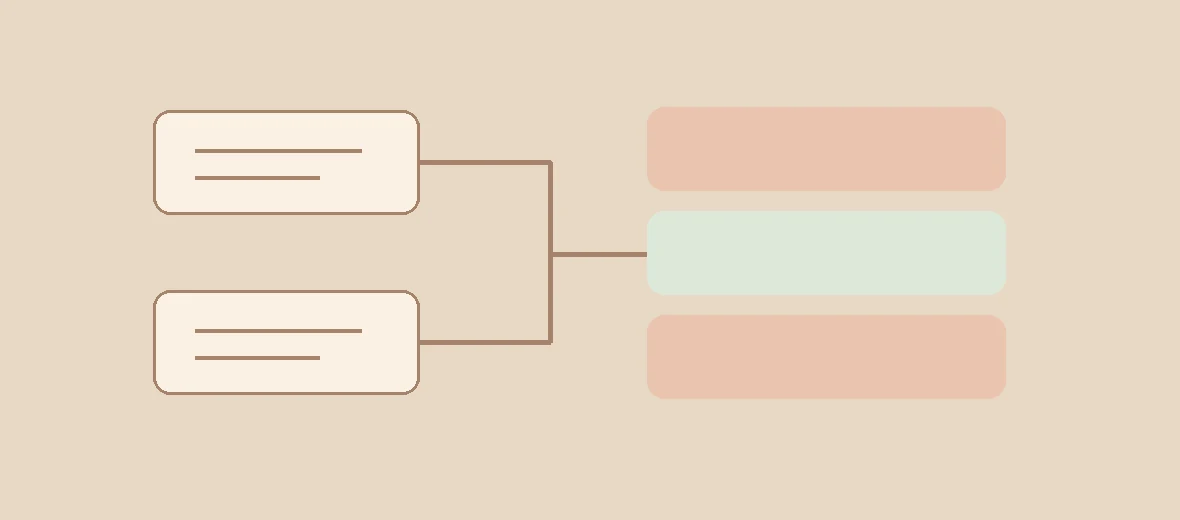
Cal.com has separate settings for reading conflicts and writing new bookings. With Google Calendar connected, open Settings → Calendars and select the calendars under Check for conflicts. Then choose where bookings go under Add events to. You can also set a different destination in an event type's advanced settings. Choosing a destination alone does not verify that your other link will check it for conflicts. Use two personal links for this rehearsal. If a link overrides the account’s conflict settings, check its own calendar list too.
Check three events from both booking links
- Cal.com calendar conflicts and destination settings
- Cal.com’s guide to link-specific conflict settings
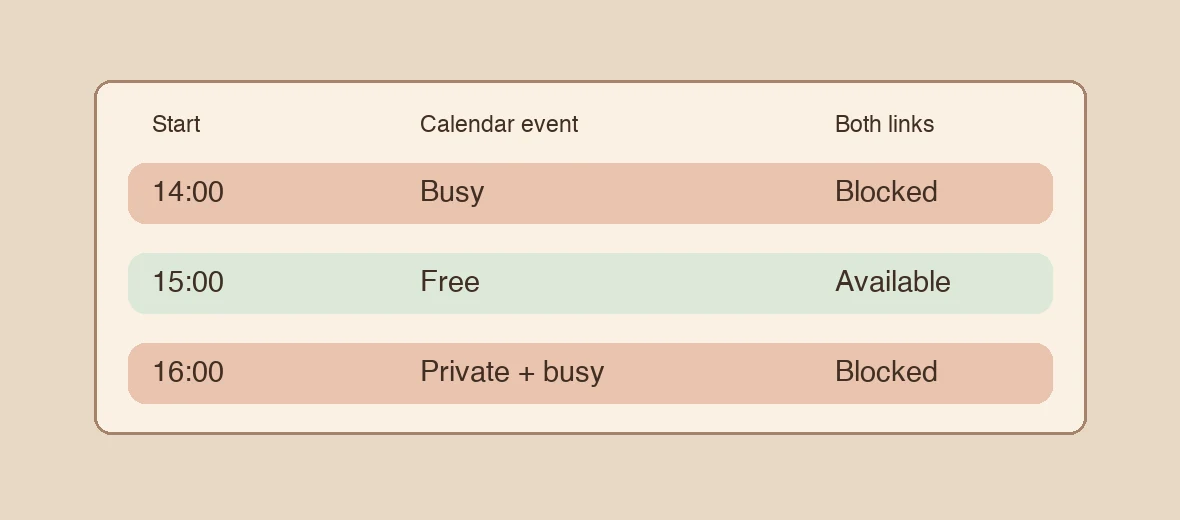
Use 30-minute test events and make both links read the same three conflict calendars for this rehearsal. A private busy event should hide its details, while its busy block still affects availability. A free event alone should not take the slot away. Verify this in the signed-out view and keep buffers or additional rules out of the test.
Compare both pages as a signed-out visitor on the same date and in the same time zone.
| Example calendar event | What to check |
|---|---|
| Client A calendar, busy at 14:00 | Both links should omit overlapping times. |
| Client B calendar, free at 15:00 | Check whether that slot stays available in both views. |
| Personal calendar, private and busy at 16:00 | Check that the slot is blocked without revealing event details. |
Privacy controls visibility of event details. Free/busy marks availability. If a slot behaves differently from what you expect, verify which account is connected and whether it can see the calendar's busy status.
Test each link and then test simultaneous bookings
Book through Client A's link, verify the destination calendar and reload Client B's page. The overlapping slot should disappear. If customers routinely race for a slot, make a separate test with two addresses you control and submit together. Check confirmed bookings as well as the availability shown on screen.
Visit official website
ProductTally may earn a commission if you buy through these links.
Cal.com · Visit official website
Related guides
Official references
ProductTally may earn a commission if you buy through these links.