
Web & forms · 3 min read
Who owns the customer conversation after a HelpCrunch handoff?
Pass one billing issue to technical support, clarify who owns the next step and check what the customer can see.
A customer paid, but their account still shows the old plan. The support agent checks what they can see and needs a technical colleague. HelpCrunch's shared inbox supports assigning a conversation and leaving private notes for the team. Assign someone by name or shift role, tell them what has been checked, and send the customer a reply through the visible channel.
Put the next decision in the note
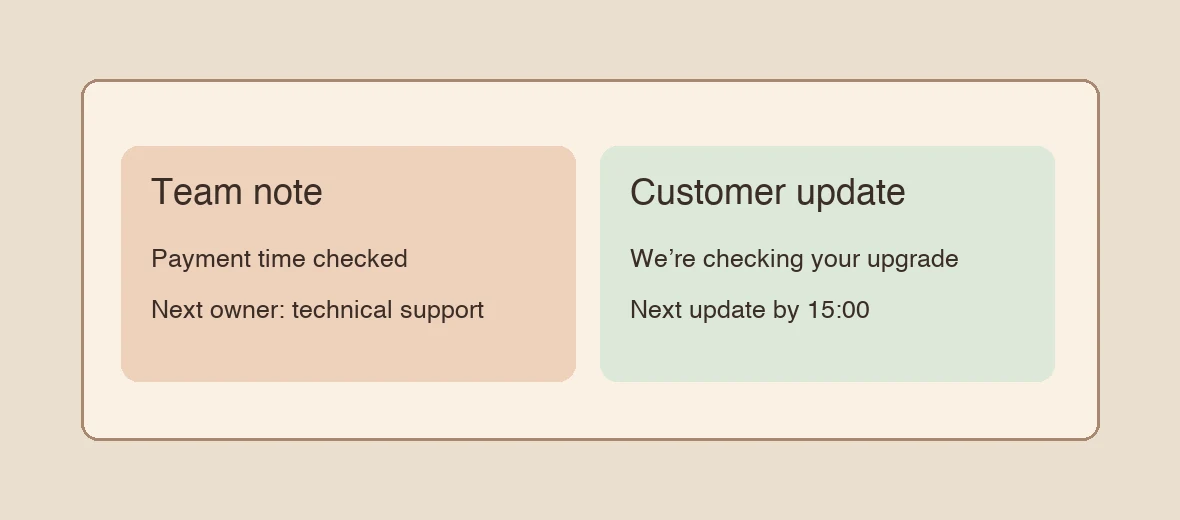
For this fictional case, a note could say: “Customer saw the success screen. The account still shows the old plan. Support checked the payment time. Technical support should check whether the order belongs to this account.” Leave out full payment details and passwords. If the investigation will take time, tell the customer when your team can give a progress update.
Under manual assignment, HelpCrunch documents that a new chat starts unassigned and the first agent who replies is assigned automatically. When someone else takes over, explicitly reassign the conversation. Use the Note tab for the internal context and send the customer update separately.
Open the conversation as a customer
In a test chat, send a fictional question and check the assignment and note as two team members. Return to the visitor window and check which messages it can see. Confirm that the next owner received the chat, that the note stayed internal, and that the visitor saw the public reply. Record any role you could not test and ask a teammate to verify it later. A live handoff needs the same three details: who owns it, where the last check ended, and when the customer will hear from you.
Visit official website
ProductTally may earn a commission if you buy through these links.
HelpCrunch · Visit official website
Related guides
Official references
ProductTally may earn a commission if you buy through these links.