
Web & forms · 4 min read
HelpCrunch: Ten customers ask the same question. Should you write a help article or fix the page?
Decide whether to fix a pricing page, write a knowledge base article or keep an issue with human support.
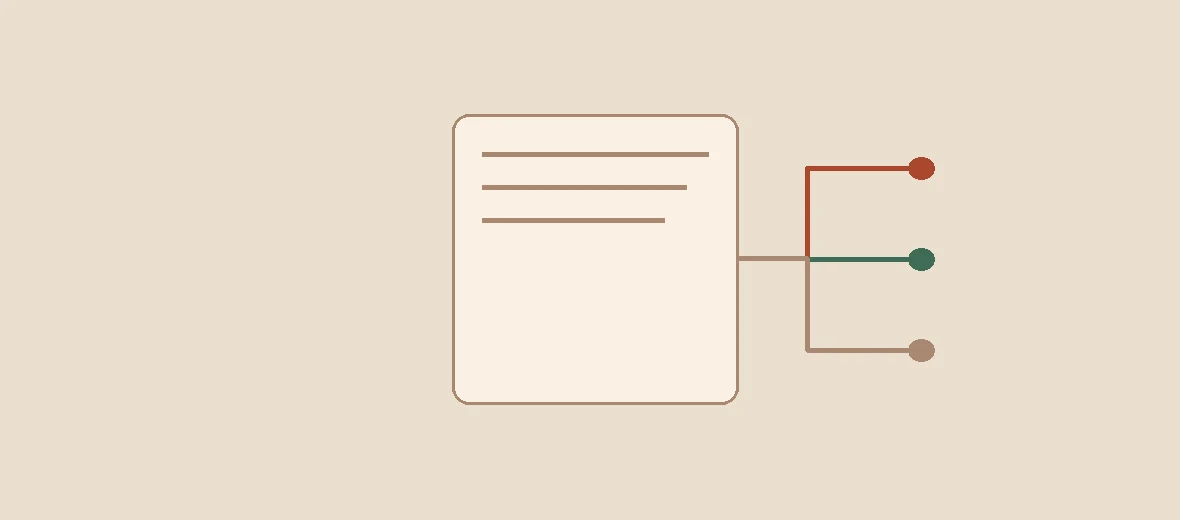
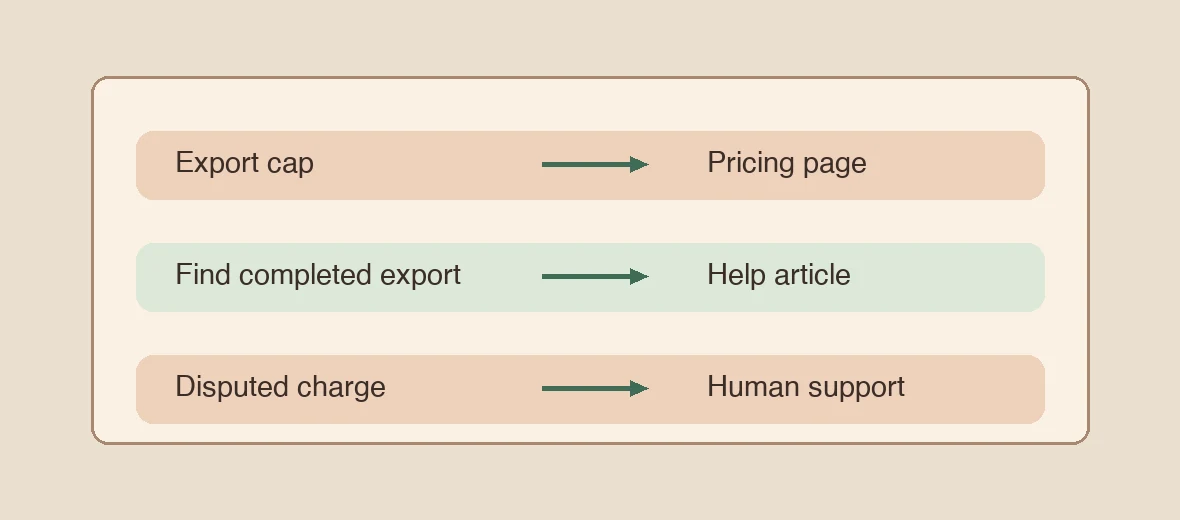
Start where the confusion happens. Put “Can I export on the free plan?” beside the plan comparison. Write a knowledge base article for “Where do I download a completed export?” Send “Why was I charged twice?” to a human who can see the account. A public article can explain how to submit a reference safely without exposing anyone's billing record.
Turn the customer's words into a task
Record where people ask, how they phrase the question and how your team solved it. Strip identifying details. For “I can't find my export”, an illustrative answer might start: “Open recent exports, find the job by time, and download it once the status shows complete.” Replace those example controls with the ones users actually see. Ask a teammate to follow the draft as a visitor.
HelpCrunch's knowledge base supports categories, sections and article SEO settings. Use the words a user would search for in the title and link from the screen where they get stuck. Search for their original wording on your site. Check your plan's knowledge-base and translation options before adding languages.
Check access now and usefulness after a week
HelpCrunch treats public access and search indexing as different settings. Open the article in a signed-out browser before sharing it. Keep internal refunds, customer data and ticket procedures in an approved private resource. After a week, sample new conversations. A reader who couldn't find the article needs a better route. A reader who found it and still got stuck needs a clearer answer. A confusing pricing page may still need an edit.
In Knowledge base → Settings → Access control, Public on Web governs the public URL and Web Indexing applies only while that public URL is enabled. With Public on Web off, external users can still access the knowledge base through the chat widget under the documented setup. Check both the direct URL and the widget before deciding what information to publish.
Visit official website
ProductTally may earn a commission if you buy through these links.
HelpCrunch · Visit official website
Related guides
Official references
ProductTally may earn a commission if you buy through these links.