
Video · 4 min read
Who can change what appears on a StreamYard stage?
Check who can bring people on screen, show banners and operate key controls before going live.

Guests can join from an invitation. A producer who needs to bring speakers on screen needs an appropriate team role. The StreamYard team guide says a Cohost can use existing graphics and banners and add or remove guests on screen. It does not grant creation or upload of studio assets. Business has its own permissions table. · · In StreamYard’s Business permissions table, a Cohost can show existing banners and add or remove speakers on screen. The role does not have permission to create or end broadcasts, or upload brand assets.
Rehearse the stage handoff
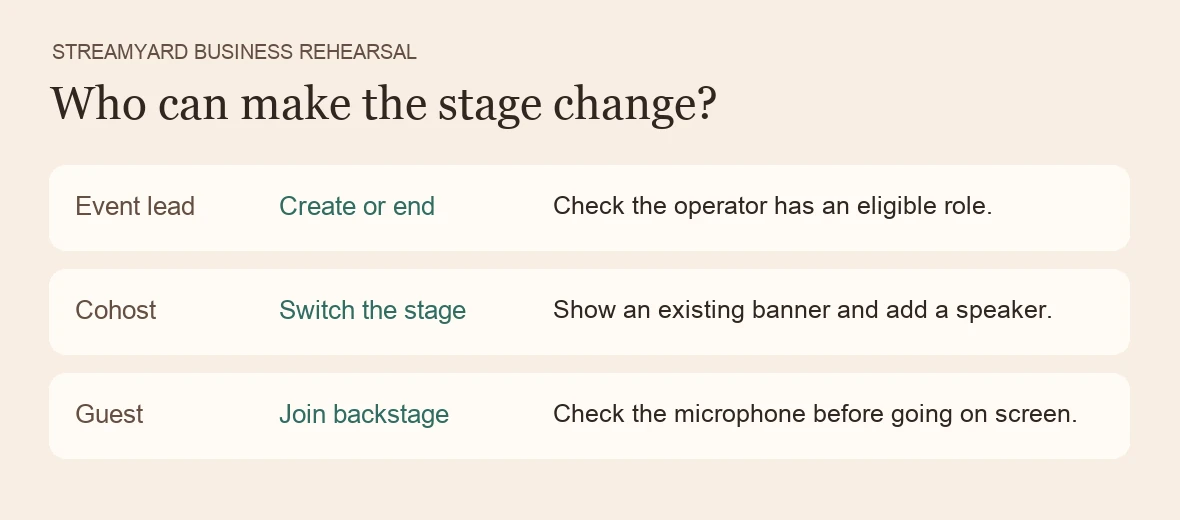
A Business Cohost can display existing banners and bring speakers on or off screen. The role cannot create or end broadcasts or upload brand assets.
| Person | Rehearsal |
|---|---|
| Event lead | Check the destinations, banners and ownership of the start and stop controls. |
| Cohost | Bring a ready guest on screen and show and remove an existing banner. |
| Invited guest | Join backstage, check the microphone and confirm when viewers can see you. |
Run the rehearsal with the actual accounts. Confirm the operator who will create or end the broadcast before handing the stage controls to a Cohost.
Check the actual team roles
These are assignments for your show. Use real role settings to determine access. Before the event, ask each person to try their controls and verify the audience view. If someone else should start or end the stream, check the plan permissions and identify who will actually be available.
Visit official website
ProductTally may earn a commission if you buy through these links.
StreamYard · Visit official website
Related guides
Official references
ProductTally may earn a commission if you buy through these links.