
E-commerce · 3 min read
Payhip Black Friday coupons: set a usage limit and an expiry date
Run a capped digital download promotion and tell buyers exactly when the code expires in their time zone.
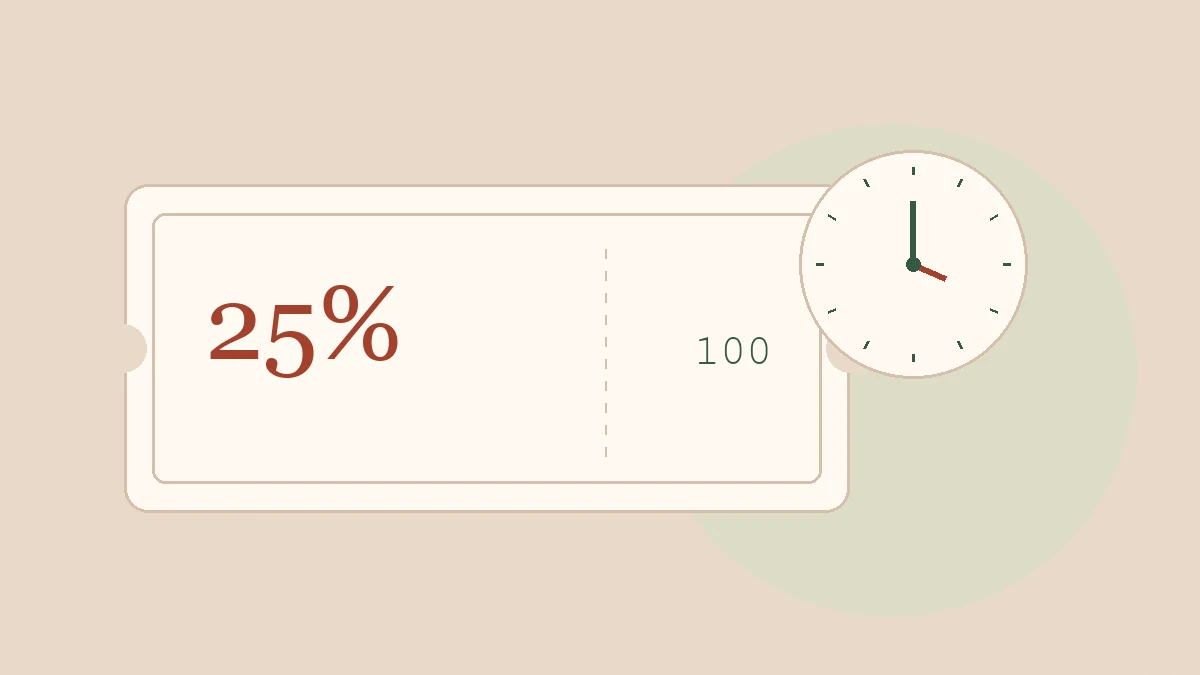
In Payhip, the usage limit belongs to the code as a whole. Set it to 100 and a shared code can be redeemed 100 times in total. The expiry date ends the offer at 00:00 UTC at the start of the selected day. Both conditions matter when you promise a deadline in a newsletter.
Start with one product and one promise
Imagine you sell a $20 budget spreadsheet alongside a $45 bundle that includes a walkthrough. You could offer 25% off the spreadsheet to the first 100 redemptions. The example price for that file would be $15. In Marketing → Coupons, choose the spreadsheet as the eligible product, enter a percentage discount and set the usage limit to 100. That keeps the bundle at its original price.
A shared cap suits a newsletter promotion where any reader can use the code while redemptions remain. If you are giving named customers a one-time thank-you, create a separate code with a limit of one for each recipient. A single shared code set to one would stop working for the entire list after the first redemption.
Translate the cutoff before you schedule the email
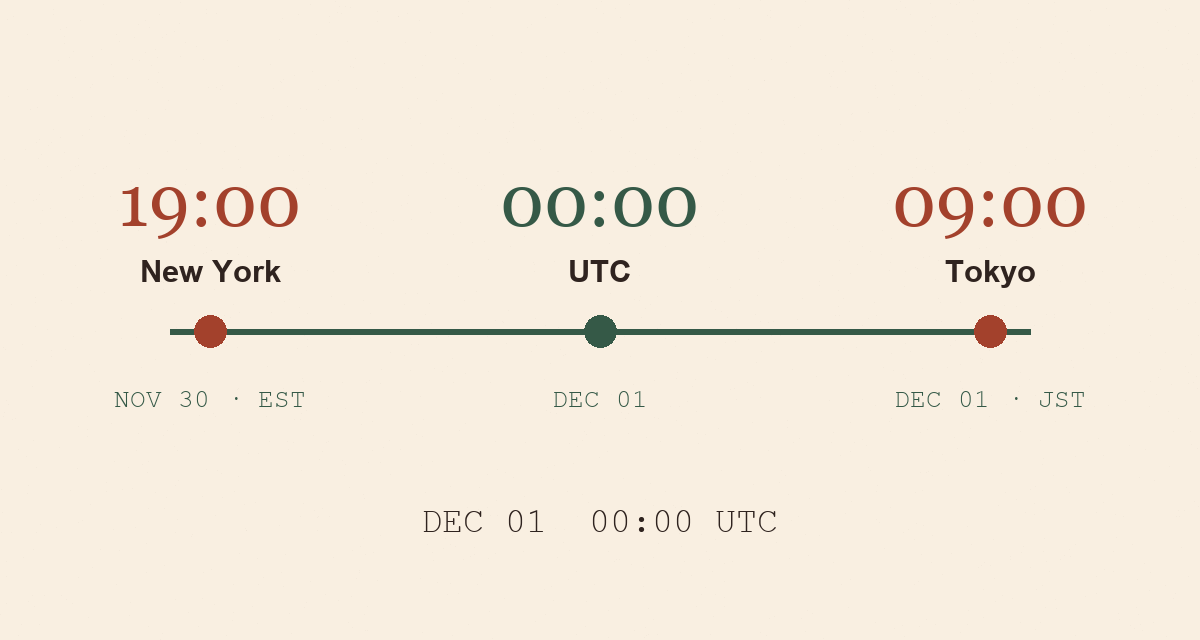
If you pick December 1, 2026, the example offer expires at 00:00 UTC that day. In New York that is 7 p.m. EST on November 30. In Tokyo it is 9 a.m. JST on December 1. A newsletter saying “through Monday night” would give some customers the wrong time. Use a date, time, and time zone, and state that the code can also end when the 100 redemptions are used.
Keep the last reminder accurate
Make the email and sales page name the same product and cutoff. When preparing a reminder, look at the usage counter under Coupons first. A reminder that says “offer ends at 7 p.m. EST or when 100 redemptions are used” still gives readers the right expectation, even if the cap is reached before the scheduled time.
ProductTally may earn a commission if you buy through these links.
Related guides
Official references
ProductTally may earn a commission if you buy through these links.