
Productivity · 4 min read
You send a quote every week. What belongs in the Signaturely template?
Keep signer roles and dates consistent while using the correct scope and amount for every quote.

Keep the roles and actions that every quote requires, such as both representatives' signatures and dates. Populate the client name, scope, amount, currency and expiry from the agreed quote. Decide who prepares those commercial terms so the signer doesn't receive an editable field for a price already agreed.
Separate saved template files from changing terms
Signaturely stores one uploaded file with each template. Its send-template workflow documents choosing that saved file and assigning signers. For a new quote with a different amount or scope, prepare a fresh PDF, upload it as a separate signing request and set up the roles and fields again. Reserve the saved template for requests that can reuse the identical file.
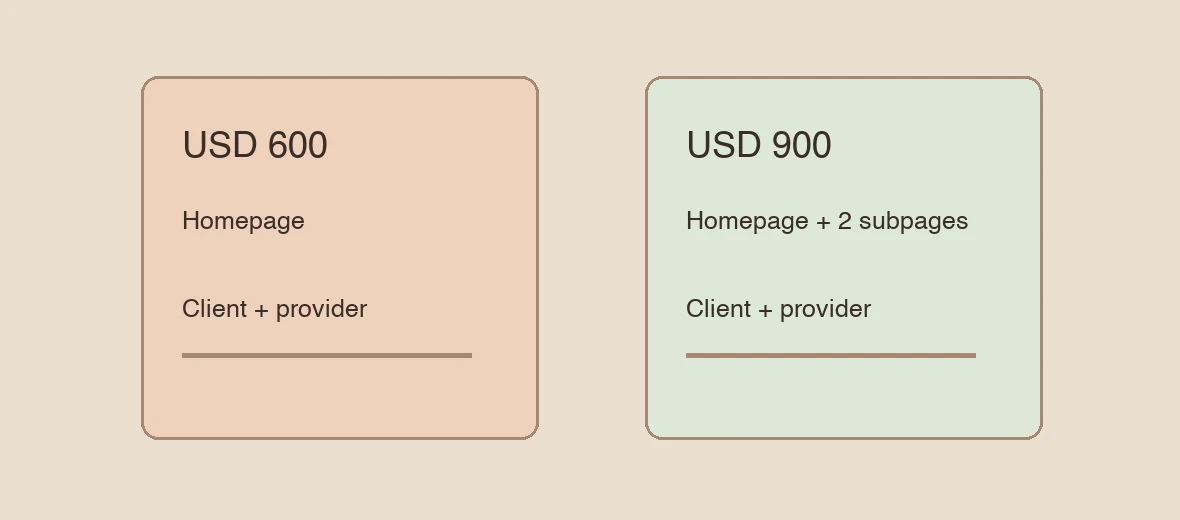
Consider two fictional quotes. Client A pays USD 600 for homepage copy. Client B pays USD 900 and also gets copy for two subpages. Both PDF files need the same two signing roles. Put the agreed scope and amount in each PDF before uploading it. Recheck the field placement and page numbers when the layout changes.
Test both roles with fresh addresses
- Prepare two separate test requests and assign the client and provider roles. If order matters, verify who gets the first invitation.
- Use controlled test addresses for two requests. Confirm that B's USD 900 quote doesn't inherit A's name or price.
- Open each signer view and check that the correct fields are assigned. Verify the amounts, dates and both signatures in the completed documents.
Signaturely lists one template on Personal and unlimited templates on Business. Check the current plan and account quota before committing. One template can prove the workflow for a single document; use separate templates if quotes, change requests and acceptance forms have different roles or terms.
Visit official website
ProductTally may earn a commission if you buy through these links.
Signaturely · Visit official website
Official references
ProductTally may earn a commission if you buy through these links.