
Writing & research · 4 min read
How to check NotebookLM citations against the original PDF
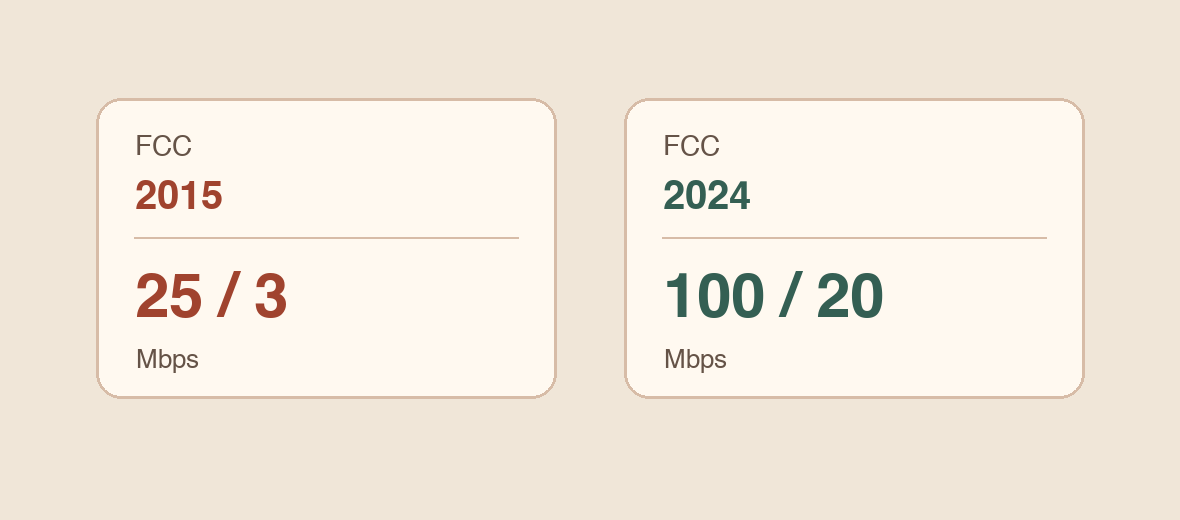
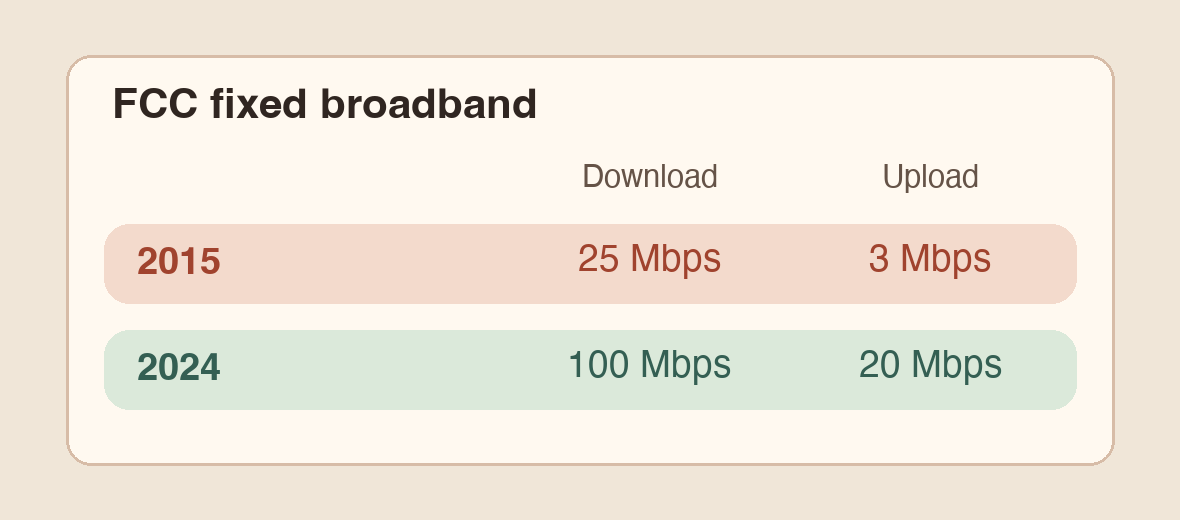
To verify a NotebookLM citation, open it and read the supporting passage in the original PDF. In Gemini Notebook, formerly NotebookLM, ask for a separate citation for each source, then compare the dates, units and scope. The historical FCC documents below illustrate why different numbers can both be correct for their own period.
Give each source its own turn
Name the files by publisher and year, such as GAO 2023 and FCC 2024. Select the first source and ask: “What are the download and upload benchmarks? Who set them and what do they apply to? Cite the passage.” Repeat with the second source. Then select both and ask for a table with source date, scope, units and figures, plus any explanation the later document gives for the change.
Open each citation in context
Google documents citations that jump to the source passage. A very short source may be cited as a whole. If a PDF breaks a number across lines, search the original for a shorter phrase such as 25 Mbps and read around it. When the answer omits the year, check the cover or publication date.
Compare dates, scope and definitions
In the 2023 GAO report, look for “Since 2015, FCC has set this speed benchmark at 25/3 Mbps” on page 5. In the FCC’s 2024 report, paragraphs 22–23 explain the change. Even if a citation takes you to the right page, confirm that it supports the figure, the year and the fixed-broadband scope.
Write a source-backed conclusion
Report the two figures on separate lines and cite the matching document on each. Keep the historical US FCC scope. To answer what applies today, check the current official publication separately. Use the questions above as a reading workflow for the source documents.