Personal
Personal tasks and daily planning
Free
 ProductTally

Task & schedule management
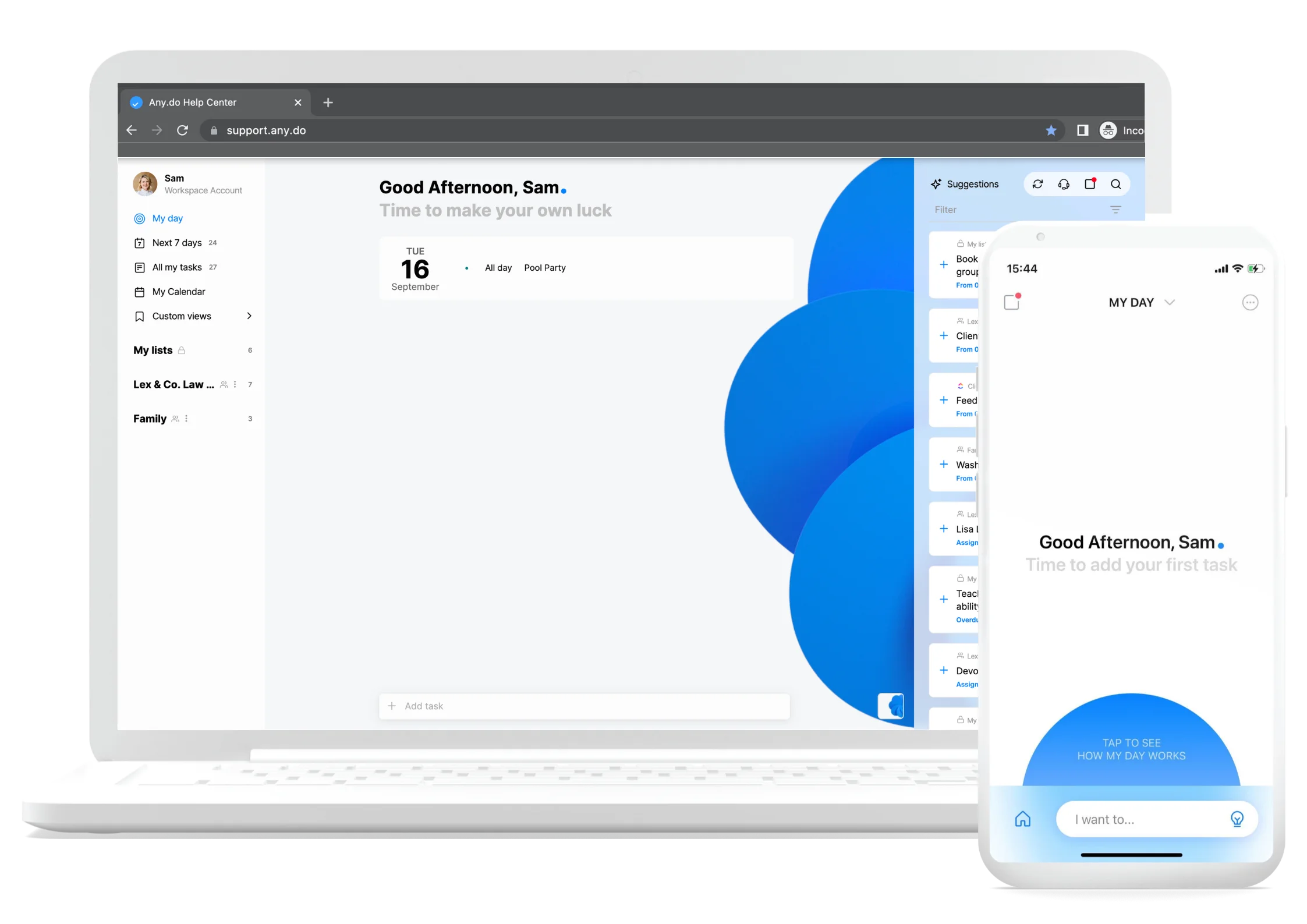
Any.do is a daily planner and to-do list app with My Day, reminders and calendar integration. Choose today’s priorities and plan tasks around your events.
ProductTally may earn a commission if you buy through these links.
ProductTally may earn a commission if you buy through these links.
Use Any.do when you want to choose today's priorities from a longer task list. Try adding one task alongside a calendar event. My Day is a personal view, so use a shared board when teammates need the same list.
My Day is private. Use a shared board when coworkers need to see the same work.
Personal tasks and daily planning
Free
Advanced personal task management
Shared planning for a family of four
Team collaboration, billed per member
Official price snapshot checked Nov 19, 2026. Yearly prices are monthly equivalents, charged annually. Final price and terms are set by the vendor.
Any.do displays the $ symbol; confirm the billing currency at checkout.
ProductTally may earn a commission if you buy through these links.
Any.do · View official plans and pricingProductTally may earn a commission if you buy through these links.
The day view should show the chosen tasks beside any connected calendar events. Reopen the original list to confirm unscheduled work is still there.
ProductTally may earn a commission if you buy through these links.
Any.do · Official guide
ProductTally may earn a commission if you buy through these links.
My Day gives you a private daily plan and is available on all plans.
Any.do · Official guideThe day view should show the chosen tasks beside any connected calendar events. Reopen the original list to confirm unscheduled work is still there.
Any.do · Official guideMy Day is private. Use a shared board when coworkers need to see the same work.
Any.do · Official guideRead about Any.do in the ProductTally blog.
Productivity · 4 min read
Plan from one calendar view while keeping family events, personal tasks and work boards in the right places.