
Marketing & social · 3 min read
Sked Social: How can a client approve an Instagram post before it goes live?
Set up a client review link, separate internal comments from external notes, and verify the approved version and schedule.
The client gives you a new date for a workshop, but the person scheduling the announcement picks up last week's image. In Sked Social, you can give the announcement a review status and share it through a configured external approval link. Check the schedule before you send that link. An approved post may go live at its scheduled time.
Give each status a clear owner
| Status | Owner | What they need to see |
|---|---|---|
| With client | Client reviewer | The final image, caption, event date and registration link |
| Changes requested | Editor | The requested edits and the team's internal deadline |
| Approved | Scheduler | The exact version that was approved, the account and the publish time |
These are sample statuses. Sked Social documents configurable status names and visibility. Decide who can move a revised post back to client review so nobody schedules the version that is still being edited.
Open the approval link as the client would
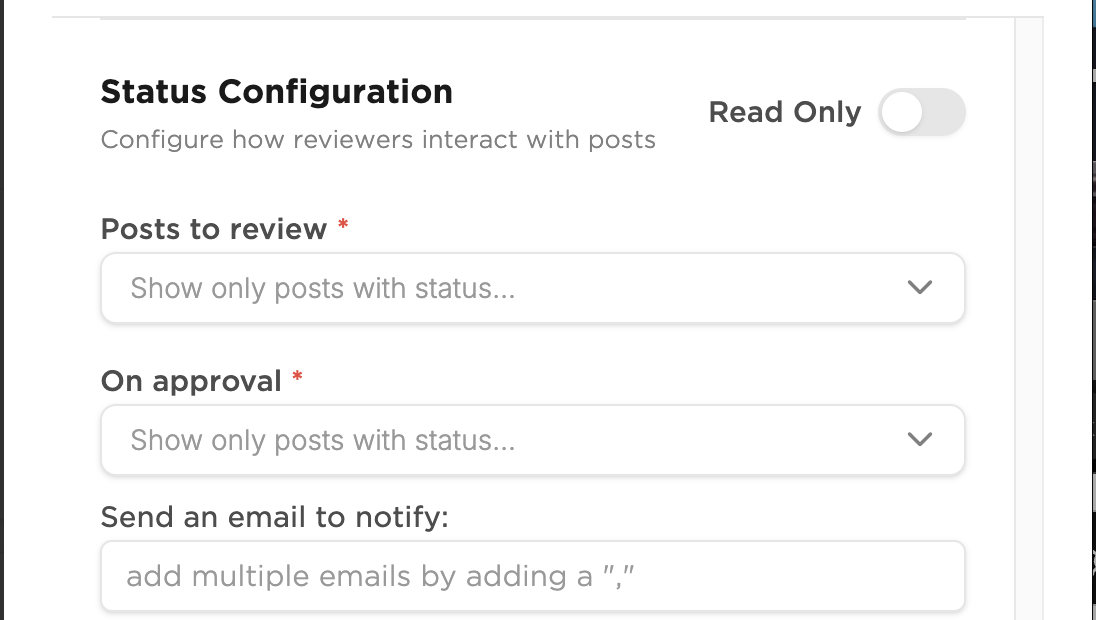
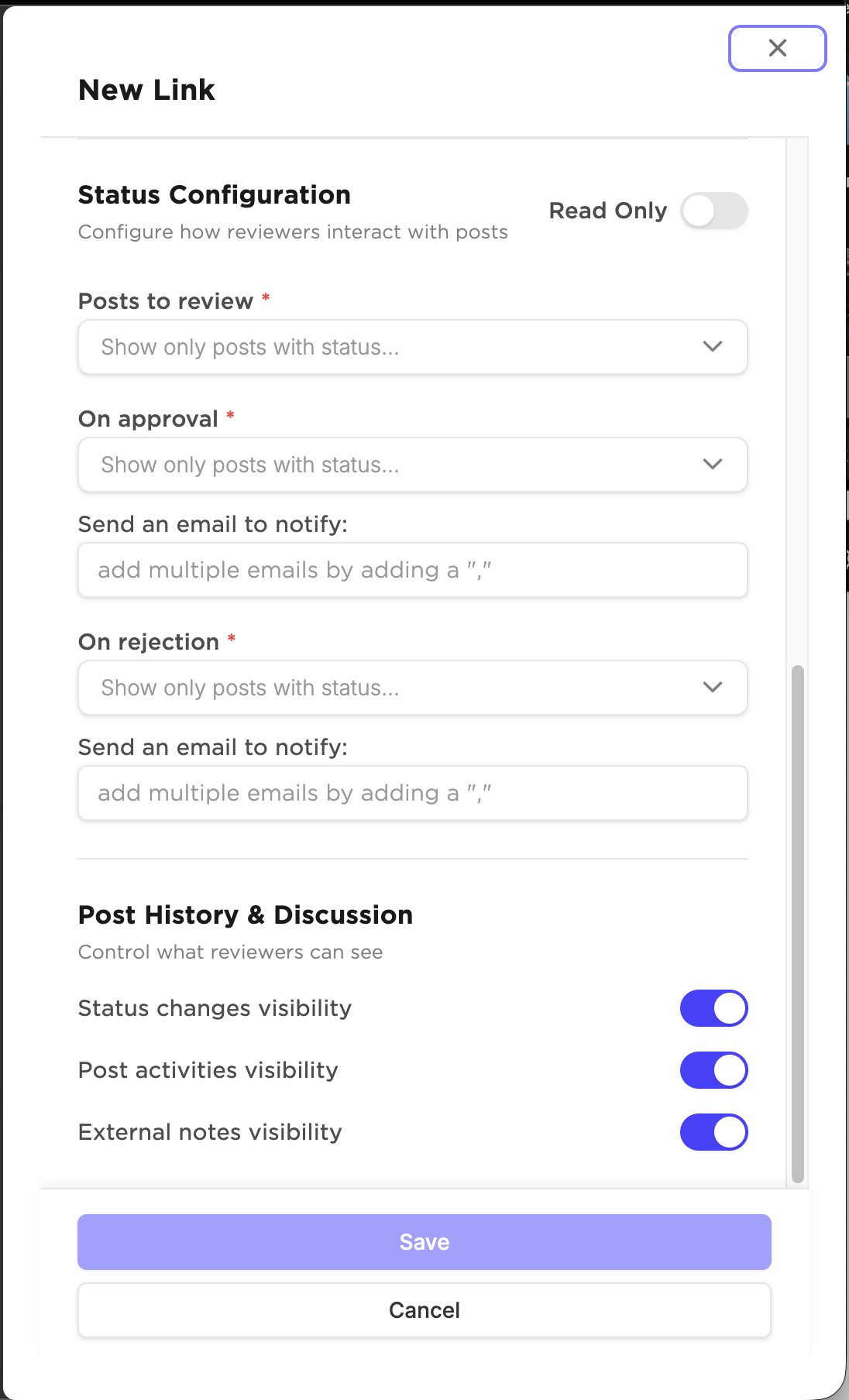
Keep a pending sponsorship discussion in an internal comment. Use the external note for the actual request, such as “Can you confirm that December 8 is correct on the image?” When setting up the link, choose the accounts and review settings for this client. Open it in a separate browser session and check that the client sees their own announcement and external note.
Use Read Only when the client only needs to see the draft. If they should approve it or request edits, turn that off and set the status for each action. Sked says external reviewers can use the link without signing in, so open it in a private window and confirm that it shows only this client’s posts.
If the date changes, update the asset, caption and schedule before requesting approval again. Rehearse with a fictional post in a controlled draft or an environment without live publishing. Check which approval options your account currently provides before using it on a real campaign.
Sked lists Approvals and the Review Portal under Accelerate. Check your plan before promising guest approvals, and rehearse with an unscheduled draft.
Visit official website
ProductTally may earn a commission if you buy through these links.
Sked Social · Visit official website
Official references
ProductTally may earn a commission if you buy through these links.