Starter
Up to 3,000 emails in total with MailBluster branding
Free
 ProductTally

Email marketing software
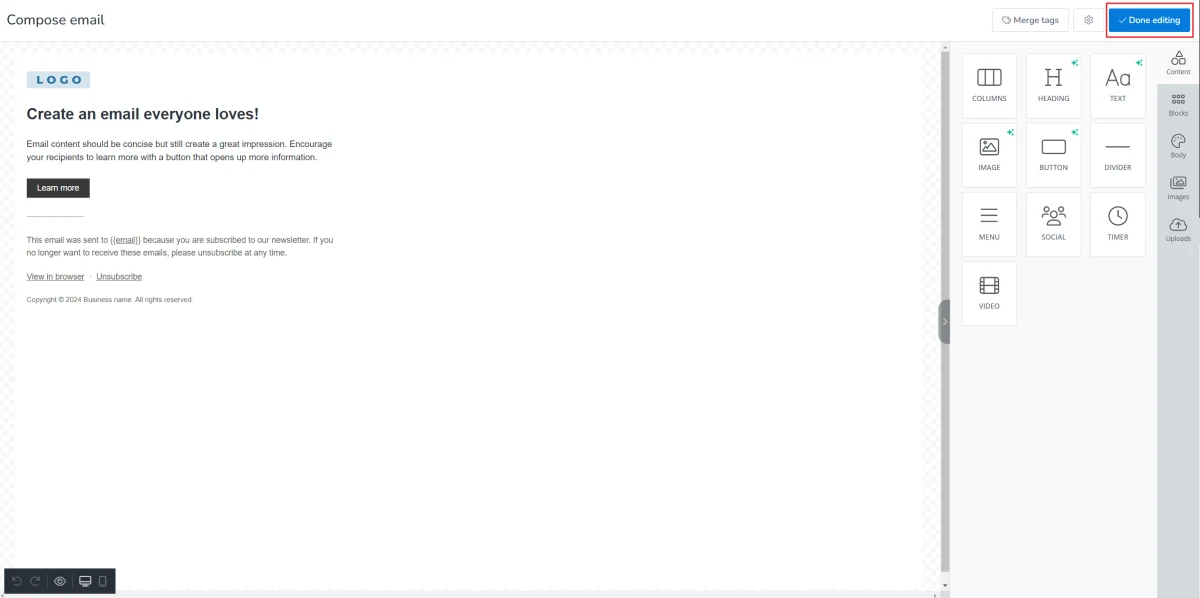
MailBluster helps newsletter publishers and small teams build, segment, and test email campaigns. Use managed sending or connect a supported SMTP provider.
ProductTally may earn a commission if you buy through these links.
ProductTally may earn a commission if you buy through these links.
Useful for teams with an opted-in subscriber list. Before choosing a plan, send a test to your own inbox and estimate costs at your expected monthly volume.
Pro and Executive use your own SMTP provider, which bills separately. Managed sending uses a MailBluster plan.
Up to 3,000 emails in total with MailBluster branding
Free
$0.60 per 1,000 emails, plus your SMTP provider’s fees
$0.60 per 1,000 emails, plus your SMTP provider’s fees
MailBluster handles delivery. Starting price depends on the selected sending volume.
Pro and Executive charge an annual subscription plus usage. Compare the Managed sending quota and checkout price at your expected volume. · Nov 13, 2026
The vendor displays $. Confirm billing currency at checkout.
ProductTally may earn a commission if you buy through these links.
MailBluster · View official plans and pricingProductTally may earn a commission if you buy through these links.
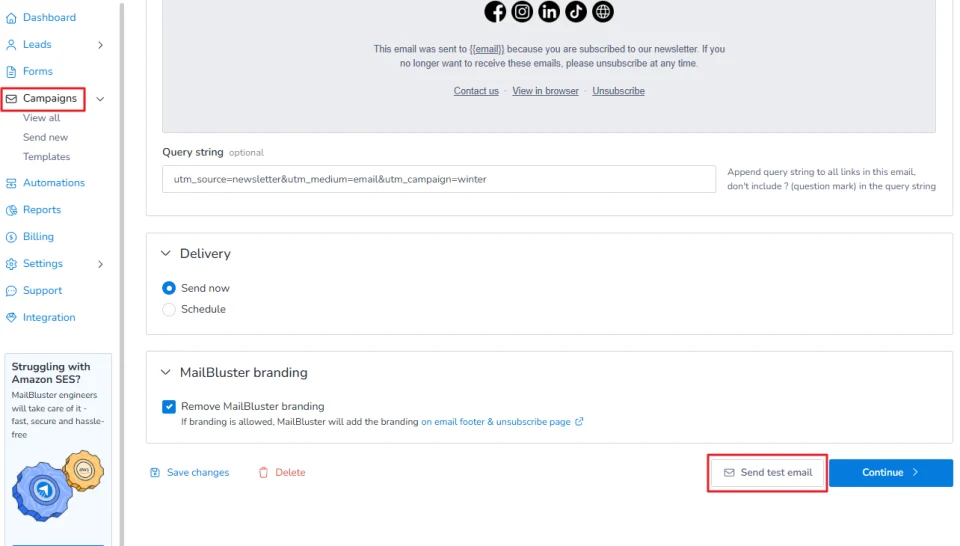
Use Send test email to check the message in an inbox before sending it to the selected audience.
ProductTally may earn a commission if you buy through these links.
MailBluster test email instructionsProductTally may earn a commission if you buy through these links.
ProductTally may earn a commission if you buy through these links.
A campaign can target all subscribers or a selected segment.
MailBluster campaign setupUse Send test email to check the message in an inbox before sending it to the selected audience.
MailBluster test email instructionsPro and Executive use your own SMTP provider, which bills separately. Managed sending uses a MailBluster plan.
View official plans and pricing