Free
One account, user, source and destination. 100 source rows per run with manual refresh.
Free
 ProductTally

Marketing data integration
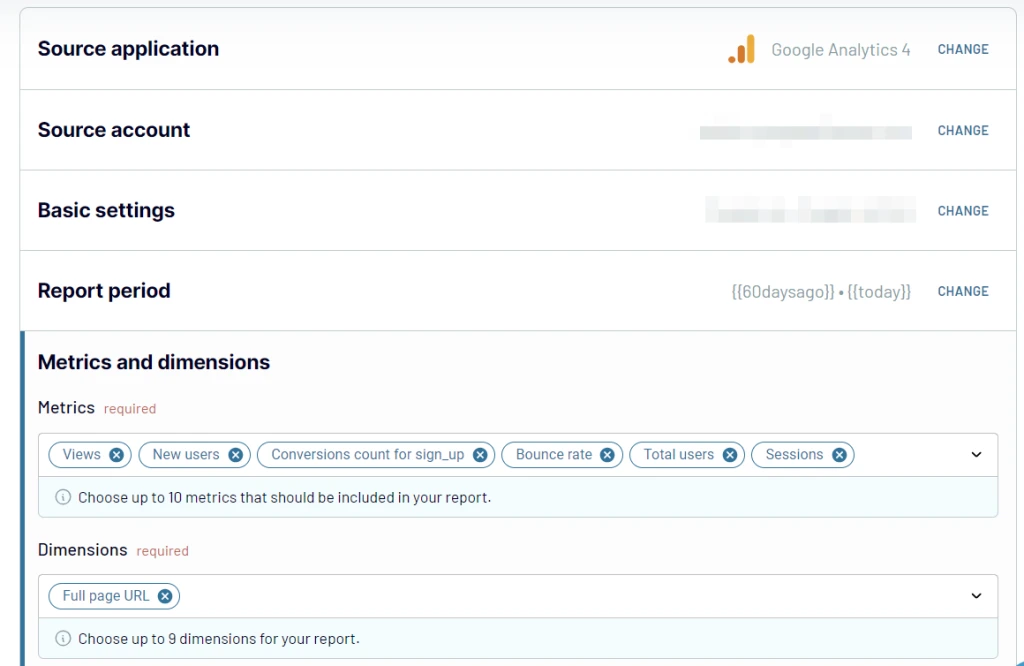
Coupler.io connects data sources such as GA4 to Google Sheets so reporting teams can refresh the data behind a recurring report.
ProductTally may earn a commission if you buy through these links.

ProductTally may earn a commission if you buy through these links.
Coupler.io fits recurring reports whose formulas should stay separate from imported data. Send a sample into a dedicated Google Sheets tab and check whether the next run should replace rows or append them.
The Free plan has manual refresh and a 100-source-row limit per run.
One account, user, source and destination. 100 source rows per run with manual refresh.
Free
Three accounts, one destination, daily refresh and 5,000 rows per run.
15 accounts, three destinations and daily refresh.
50 accounts, unlimited destinations and hourly refresh.
Custom account and destination limits.
Contact sales
Business plan prices are for the subscription. Annual figures are monthly equivalents. Check currency and billing terms at checkout. · Nov 11, 2026
The vendor displays $. Confirm billing currency at checkout.
ProductTally may earn a commission if you buy through these links.
Coupler.io · View official plans and pricingProductTally may earn a commission if you buy through these links.
Refresh once and compare the dates, row count and one GA4 metric before allowing the spreadsheet formulas to depend on the import.
ProductTally may earn a commission if you buy through these links.
Google Sheets destination and write modesProductTally may earn a commission if you buy through these links.
ProductTally may earn a commission if you buy through these links.
Coupler.io connects GA4 to Google Sheets and supports replacing or appending rows. The Free plan offers manual refresh and up to 100 source rows per run.
Business plans and limitsRefresh once and compare the dates, row count and one GA4 metric before allowing the spreadsheet formulas to depend on the import.
Google Sheets destination and write modesThe Free plan has manual refresh and a 100-source-row limit per run.
View official plans and pricing