
SaaS product news · 3 min read
Cloudflare launches Search for Agents. How do you check what it finds?
On November 25, 2026, Cloudflare launched Search for Agents in beta on all plans. It creates a search index for a domain on Cloudflare and returns Markdown excerpts with sources through /.well-known/search. Start with one public document and check whether a reader’s question retrieves the right passage and source.
Turn on site search and wait for the first crawl
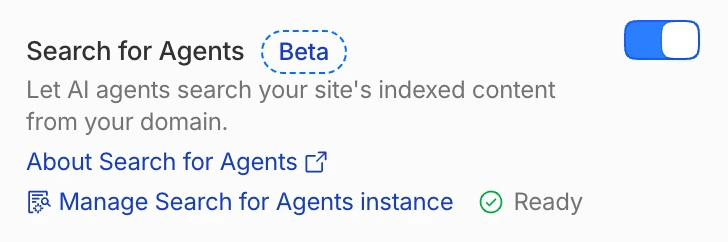
Select your domain in the Cloudflare dashboard. In Overview, find Search for Agents under Quick Actions and confirm the settings. Cloudflare creates an AI Search instance and discovers pages through sitemaps and links. Review which paths belong in public search and use the instance’s path filters where needed. Requests remain subject to the site’s AI Crawl Control and firewall rules.
Check the passage and source for one question
Pick a published support page with a clear answer. For example, use the q parameter on your domain’s /.well-known/search endpoint to ask how long a customer has to return an unopened item. Check the deadline in the returned passage and follow its source back to the right policy. For translated pages, ask in each language and check which version appears. This measures retrieval from Cloudflare’s site index.
Check usage before December billing starts
Cloudflare says AI Search billing begins on December 1, 2026. It measures ingestion, index storage and queries. Check your account’s included usage and Workers plan limits. For example, Workers Free allows up to 500 pages crawled per day. For a large site, decide which directories to include first, then watch indexing progress and query usage.