
Video · 4 min read
VideoGen: Should you generate a software demo or record the screen?
Use generated scenes for context and record the actual controls and output for product claims.
Use generated scenes for a fictional setup or transition. For any claim about what the software can do, record the actual control and result. VideoGen Record can capture the screen and camera and send footage to its editor.
Decide what each shot has to prove
Show the checklist problem with an illustrative opening. For the actual action, record a test account opening the checklist, choosing a permission level and creating the link. Open that link as a second test identity and record what it can view.
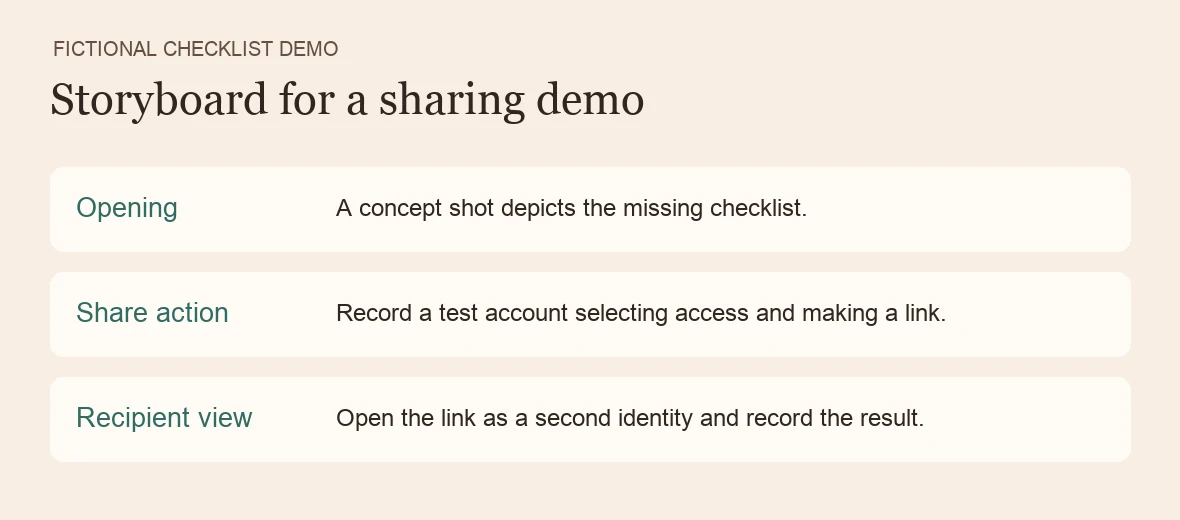
Record before filling gaps
Close unrelated notifications and use sample data. VideoGen Record can capture the screen, camera or both and send the result to the editor. Review the recording before inserting it. Re-record at a closer scale if the permission label or result is hard to read.
Visit official website
ProductTally may earn a commission if you buy through these links.
VideoGen · Visit official website
Official references
ProductTally may earn a commission if you buy through these links.