
Marketing & social · 4 min read
How do you tell where a workshop signup came from in Systeme.io?
Use three source-specific forms or funnel steps, then test how tags behave when a contact registers twice.
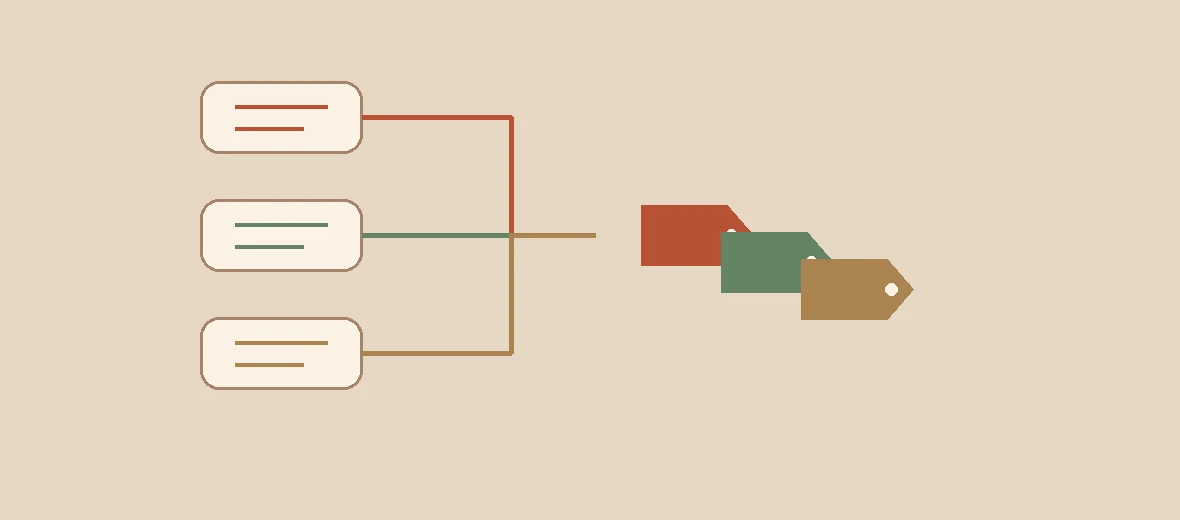
In systeme.io, create a distinct entry form or funnel step for each source and assign its tag when the form is submitted. Use a controlled address across two forms to check reporting. Tag memberships can exceed the number of unique addresses.
Assign a tag to each entry point
Give the blog, partner newsletter and event QR code separate identifiable forms or funnel steps. Keep the same workshop details and confirmation page.
| Entry point | Example tag |
|---|---|
| Your blog | workshop-blog |
| Partner newsletter | workshop-partner |
| Event QR | workshop-event |
Use the Funnel step form subscribed trigger and Add a tag. Systeme.io documents form actions in the editor and form selection in automation rules or workflows. Choose one setup per entry point and confirm it targets the correct form and tag.
Check what a repeat sign-up counts as
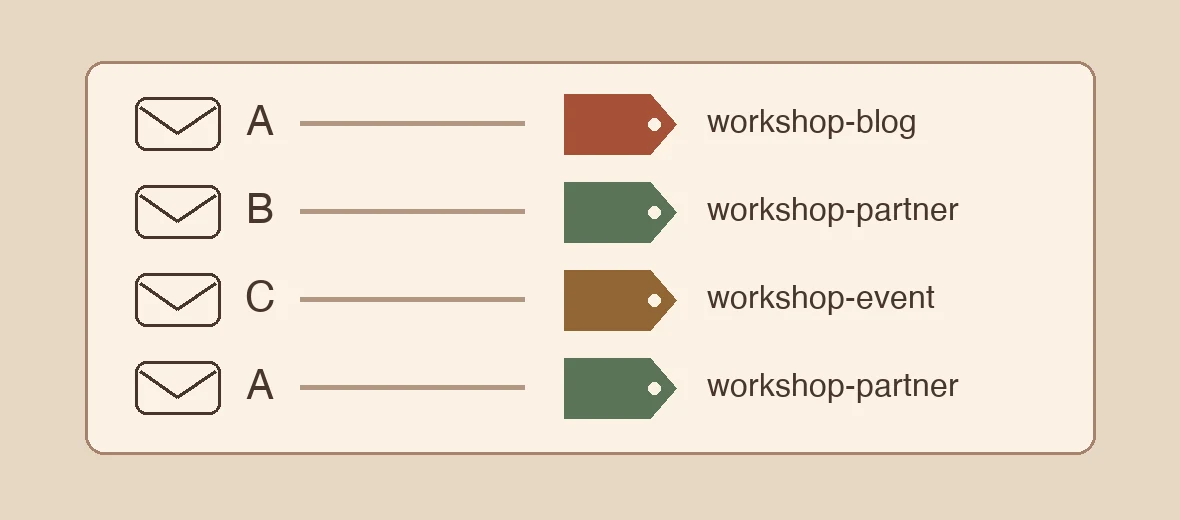
Register once through each entry using test addresses. Then submit the first address through the second form and inspect the resulting tags. A person may have both tags, so adding their counts does not yield a unique total. If you need the earliest source, define that rule separately and test two submissions in order. Scan the QR code on a phone through to confirmation before attaching reminders.
Track one row per controlled address in the rehearsal. If the same address appears under Blog and Partner, those are two source memberships and only one unique address. A source tag records the form a person submitted. Someone forwarded a Partner link can still receive the Partner tag.
Visit official website
ProductTally may earn a commission if you buy through these links.
systeme.io · Visit official website
Official references
ProductTally may earn a commission if you buy through these links.