
Productivity · 4 min read
Can we still deliver Friday? Give clients a usable project update in Flowlu
Publish a revised date, keep internal work private and verify access from a guest account.

When a project slips, publish the next deliverable and the next checkpoint in the Flowlu Client Portal. Give the customer access to the specific project or task they need. Track supplier follow-up and internal hours in a separate item and verify visibility using an external account.
Write the update the client needs on Tuesday
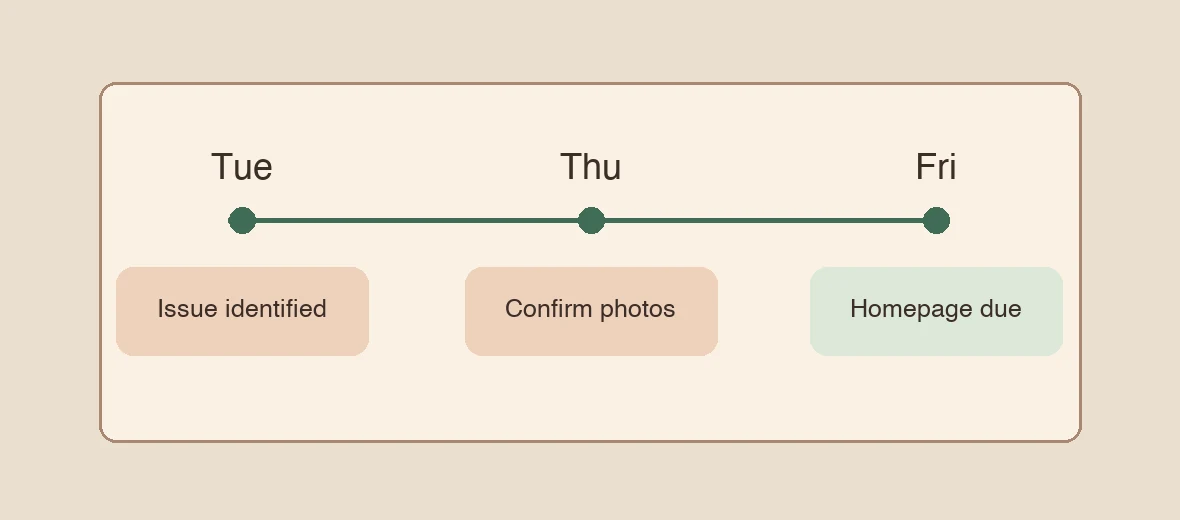
Imagine the client expects a full site draft on Friday, but their photos will only arrive Thursday. Update the client-facing task: “We expect the photos Thursday. The homepage draft is still due Friday. We’ll confirm the date for the rest of the site on Thursday.” Inside the team, give one person the follow-up and log when the decision is due.
Open the portal as two different clients
Invite a controlled external user and open the project as that user. In the external-user permissions, grant access to the relevant item and review the fields, related records and actions the user can see. Verify that Client A can find the Friday homepage update and that Client B cannot load Client A’s project, comments or files through a direct link. Run the access check before sending the real invitation.
Visit official website
ProductTally may earn a commission if you buy through these links.
Flowlu · Visit official website
Official references
ProductTally may earn a commission if you buy through these links.